One operation, many labels
Each label client brings its own catalog, deal terms and reporting needs. A Qlero organisation can contain multiple record companies, with team roles assigned to selected companies or the whole organisation. Plan your company structure and access before importing client data, and confirm the entity allowance and commercial scope in your quote.
Read about company access and team roles
Company branding in the Artist Portal
A record company can configure its logo and accent colour for the Artist Portal. Without that setup, the portal uses Qlero's branding. Branding does not change the artist's contract partner or who handles payment questions. Confirm the branding scope and any plan or add-on requirements with Qlero before committing to a client rollout.
See how Artist Portal branding works
Ingestion that keeps up with your sources
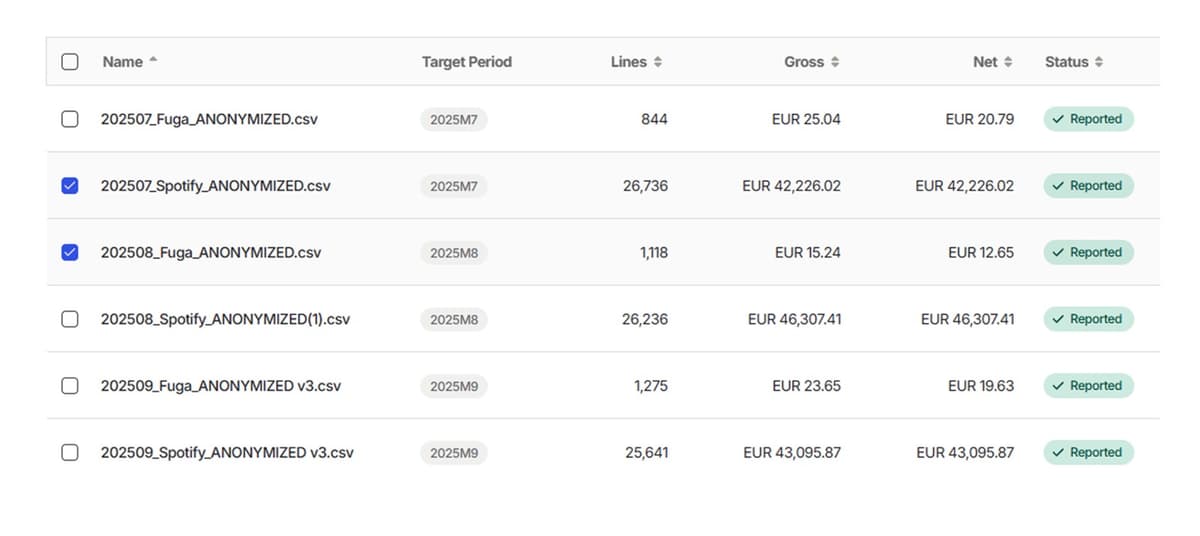
Use a sales-file template that matches the provider and column layout. Custom template creation is available on Pro and Enterprise; its editor accepts CSV, XLSX and XLS example files up to 20 MB. Map the required fields, save the template and test a small import. Review row statuses and totals before calculation: invalid data or missing contracts need attention before the affected royalties can be reported.
Follow the template and first-import guide
Review and record payment runs
With Payments enabled, prepare payments according to each payee's billing type, review a run and download payment CSV or Excel files and applicable self-bill PDFs. For manual processing, arrange bank transfers outside Qlero first. Executing the run then records the payments as paid, reduces payable balances and sends payment emails; it does not transfer money through your bank. That recording action cannot be undone.
Read the payment-run setup and limitations
Bring in repertoire through DDEX
DDEX repertoire delivery is available on Pro and Enterprise for record companies with a recordings licence. Set the company's DDEX Party ID and ask Qlero to onboard the delivery partner and SFTP connection. Qlero processes ERN 3 and ERN 4 NewReleaseMessage files for selected track, release and label metadata. This is separate from royalty-sales imports. Update and takedown message types do not change the repertoire; deals and participation rates still need their own setup. Confirm any API integration separately for your systems and plan.
Check DDEX setup, supported fields and limitations