
What does the €200/month starting price include?
The current calculator shows Lite at €200/month, excluding VAT, for 1 million sales rows per year. Lite lists sales terms, cost terms, system templates and Sales Explorer.
Start with an estimated annual sales-row volume. See your plan and monthly estimate, then book 30 minutes to confirm the fit — no sign-up required.
Interactive quote
Use a starting volume or enter your own, choose a plan, and book a time to review your estimate. You can also request your quote by email.
Qlero / pricing estimate
Step 1 / 4
01 / 04
We’ve started with 1 million rows per year. Change it if you know your volume, or continue with this starting estimate.
Using 1 million rows per year as a starting estimate. We’ll confirm your actual volume on the call.
1,000,000 rows/year ·Lite
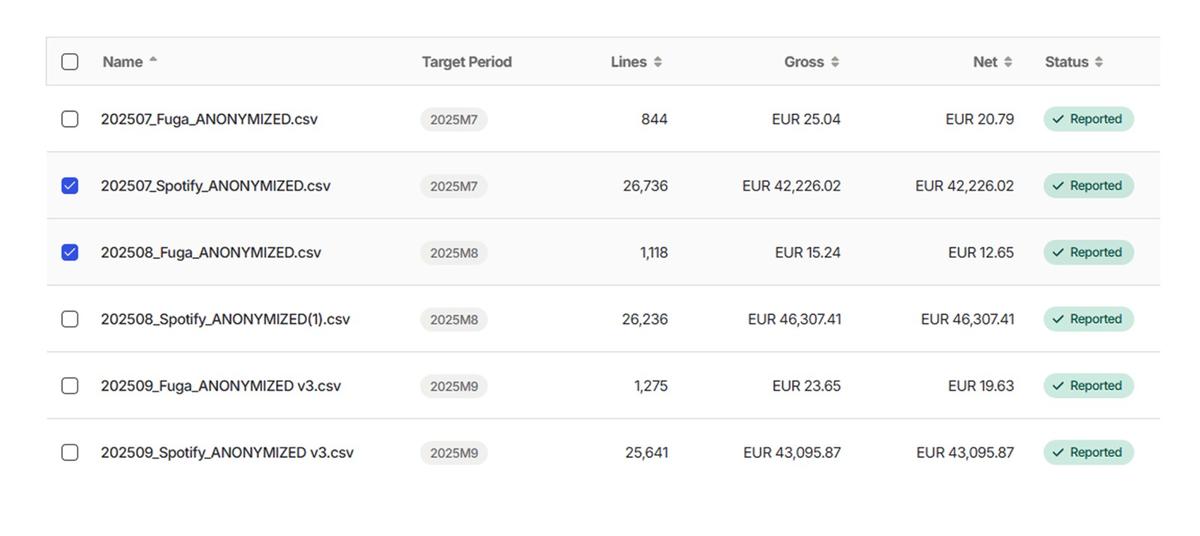
This calculator accepts UTF-8 CSV, TSV and TXT files: up to 20 files, 1 GiB per file and 2 GiB in total. Export Excel workbooks as UTF-8 CSV first. Counting a file here does not confirm compatibility with imports in the Qlero product.
The counter counts non-empty records and excludes the first non-empty record in each file as a header. Line breaks inside quoted fields remain part of the same record. Totals and footer records may be included, and duplicate records are not removed. This estimates data volume; it does not validate royalty amounts or identify which records are sales.
Choose how many months your files cover, from 1 to 12. All selected files should cover the same reporting window. The calculator divides their combined record count by the number of months, multiplies by 12 and rounds up to a whole row. A sample period is an estimate: seasonal changes and future growth can change actual annual volume.
The calculator produces an estimate for the volume, plan and add-ons you select, not an agreed contract. An example volume is a starting assumption, not verified usage. Ask the Qlero team to confirm your workflow, file compatibility, migration needs, features and commercial terms in a written quote.
File counting runs in your browser; the counter does not send your files or filenames to Qlero or OpenAI. When you explicitly send an assistant question, that question is sent to Qlero's server and OpenAI to match it to reviewed guidance. Contact details and file contents are not attached automatically. Do not put personal details or royalty data in your question. Contact and optional Typeform forms have separate submission flows.
After a successful file count, choose Get my written quote to open the short contact form. You can also continue through the plan and add-on steps to booking, or choose the email option there. A quote request is an enquiry for the team to review; submitting it does not book a meeting. Choose and complete a booking separately to arrange a call.
Have a question about your setup? Ask the Qlero team or book a demo.
How it scales
Start with the number of sales rows your team expects to process in a year, then choose the plan features your royalty workflow needs. The calculator shows a monthly price for that annual allowance. Your quote should also account for the labels or entities involved, migration, integrations and support requirements. Confirm the allowance, included features, add-ons, billing schedule and subscription term in writing before subscribing. A monthly price does not by itself establish monthly billing. Your order form records the agreed commercial scope and any usage limits.
| Annual sales rows | Monthly estimate excluding VAT |
|---|---|
| 1 million | €200 |
| 5 million | €400 |
These examples use the calculator checked on . Confirm your features, allowance and commercial terms in a written quote.
Optional scope
Payments
API
White label (label and payee portal)
Pricing FAQ
Review the allowance, plan scope and billing terms for your team.
The current calculator shows Lite at €200/month, excluding VAT, for 1 million sales rows per year. Lite lists sales terms, cost terms, system templates and Sales Explorer.
Enter annual sales rows, choose a plan and review add-ons. The estimate depends on the selected allowance and features; confirm the final scope in your written quote.
Book a 30-minute demo focused on your royalty workflow and pricing questions.
Contact Qlero to discuss an updated scope. Plan changes and any extra charges depend on your agreed terms; confirm them in writing.
No. The published MSA defaults to annual invoicing in advance unless your order form says otherwise. Check the billing schedule, subscription term and renewal conditions before signing.
Read the Master Services Agreement for the published billing and subscription terms. Your order form records the agreed commercial terms.
Bring your catalog, deal terms, or reporting questions. We'll show you the parts that matter to your team.